Controller
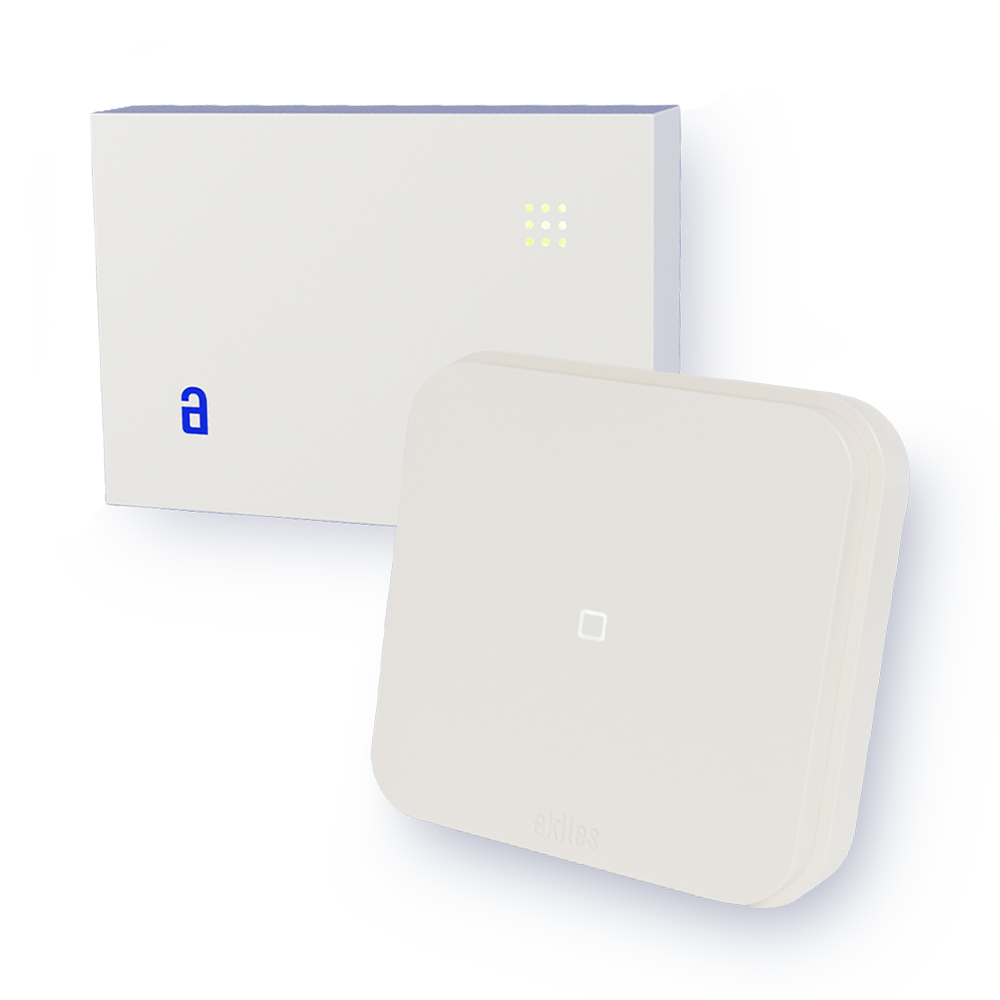
The Akiles Controller is a device that:
- Requires electrical power
- Connects to the Akiles Cloud (via Ethernet, Wi-Fi or Mobile, depending on the variant), or indirectly through another Akiles device that does connect directly to the Akiles Cloud
- Emits a Bluetooth 5 signal to which other nearby Akiles devices connect (at a distance not exceeding 15m-20m)
- Has relays which allow it to act on electrified accesses or automation systems (electric locks/door openers, motorized blinds, access turnstiles, elevators, parking barriers, etc)
Its function is to:
- Connect electrified accesses or automation systems to the Internet and thus enable the ability to act on them remotely from the App or WebApp
- Allow Akiles devices that do not connect directly to the Akiles Cloud to communicate with the Akiles Cloud
This device is useful when the accesses are electrified accesses or automation systems.
Variants
| Variant | Connectivity | Power | Part Number | Manual |
|---|---|---|---|---|
| Controller | Bluetooth 5 | mains | 91.0101.01 | Installation Manual |
| Controller+16 | Bluetooth 5 | mains | 91.0101.05 | - |
| Controller Ethernet | Ethernet Bluetooth 5 |
mains | 91.0101.03 | Installation Manual |
| Controller Wi-Fi | Wi-Fi Bluetooth 5 |
mains | 91.0101.06 | Installation Manual |
| Controller Mobile | Mobile Bluetooth 5 |
mains | 91.0101.04 | Installation Manual |
| Controller Wi-Fi 2 | Wi-Fi Bluetooth 5 |
mains and rechargeable battery | 91.0113.01 | Installation Manual |
| Controller Mobile 2 | Mobile Bluetooth 5 |
mains and rechargeable battery | 91.0112.01 | Installation Manual |
Which variant to choose:
- Controller — there is another Akiles device that connects directly to the Akiles Cloud within 15m of the accesses.
- Controller Ethernet — the router is close to the accesses.
- Controller Wi-Fi / Controller Wi-Fi 2 — the router is more than 15m away from the accesses, but good Wi-Fi signal reaches them.
- Controller Mobile / Controller Mobile 2 — the router is not near the accesses, Wi-Fi signal does not reach, or there is simply no router near the accesses.
The Controller Wi-Fi 2 and Controller Mobile 2 additionally include an integrated rechargeable battery, which keeps the access operational during power outages.
Troubleshooting
When the device is Offline, it is necessary to identify whether this is because the Akiles device has no electrical power, no Internet connection is reaching it, or both. To do this, we must check if the LED indicator is on and the number of flashes it makes.
Controller Ethernet
| LED Indicator Color | Connection to Akiles Cloud | Number of Flashes | Diagnosis | Solution |
|---|---|---|---|---|
| Blue | Online | None | None | None |
| Yellow | Online | 2 | Device not correctly connected to one or more Akiles peripheral devices | Check the status of the other Akiles peripheral devices |
| Purple | Offline | 1 | Ethernet cable not detected | Check that the cable is connected to the device and to the router |
| Purple | Offline | 2 | Ethernet cable detected and DHCP failure | - |
| Purple | Offline | 3 | Ethernet cable detected, DHCP OK and DNS failure | - |
| Purple | Offline | 4 | Ethernet cable detected, DHCP OK, DNS OK and connection failure | - |
| Off | Offline | None | Device unplugged, space without electrical power or transformer with faults | - |
Controller Wi-Fi
| LED Indicator Color | Connection to Akiles Cloud | Number of Flashes | Diagnosis | Solution |
|---|---|---|---|---|
| Blue | Online | None | None | None |
| Yellow | Online | 2 | Device not correctly connected to one or more Akiles peripheral devices | Check the status of the other Akiles peripheral devices |
| Purple | Offline | 1 | Device disconnected from Wi-Fi network | Check that there is good Wi-Fi signal and that the network name (SSID) or password has not been changed, in which case they should be updated as explained here |
| Off | Offline | None | Device unplugged, space without electrical power or transformer with faults | - |
Controller Mobile
| LED Indicator Color | Connection to Akiles Cloud | Number of Flashes | Diagnosis | Solution |
|---|---|---|---|---|
| Blue | Online | None | None | None |
| Yellow | Online | 2 | Device not correctly connected to one or more Akiles peripheral devices | Check the status of the other Akiles peripheral devices |
| Purple | Offline | 1 | Device disconnected from the mobile network | Wait a few minutes and if the problem persists contact Akiles through soporte@akiles.app |
| Off | Offline | None | Device unplugged, space without electrical power or faulty transformer | - |
Controller Wi-Fi 2 and Controller Mobile 2
These devices use an RGBW LED with a different set of signals. See the light indicator tables in the Controller Wi-Fi 2 and Controller Mobile 2 installation manuals.