PIN Code
Our Akiles Roomlock and Akiles Pinpad devices (the latter alone or in combination with Akiles Cylinder) allow opening using the PIN code method.
PIN Code Configuration
To configure a PIN code for a user, you must access the “Members” tab in the Admin Panel and select the member for whom you want to generate it. Inside, in the “Pins” section, select +Add a pin and choose a number between 4-20 digits. You can also generate a random one by clicking on “Create a random PIN”.
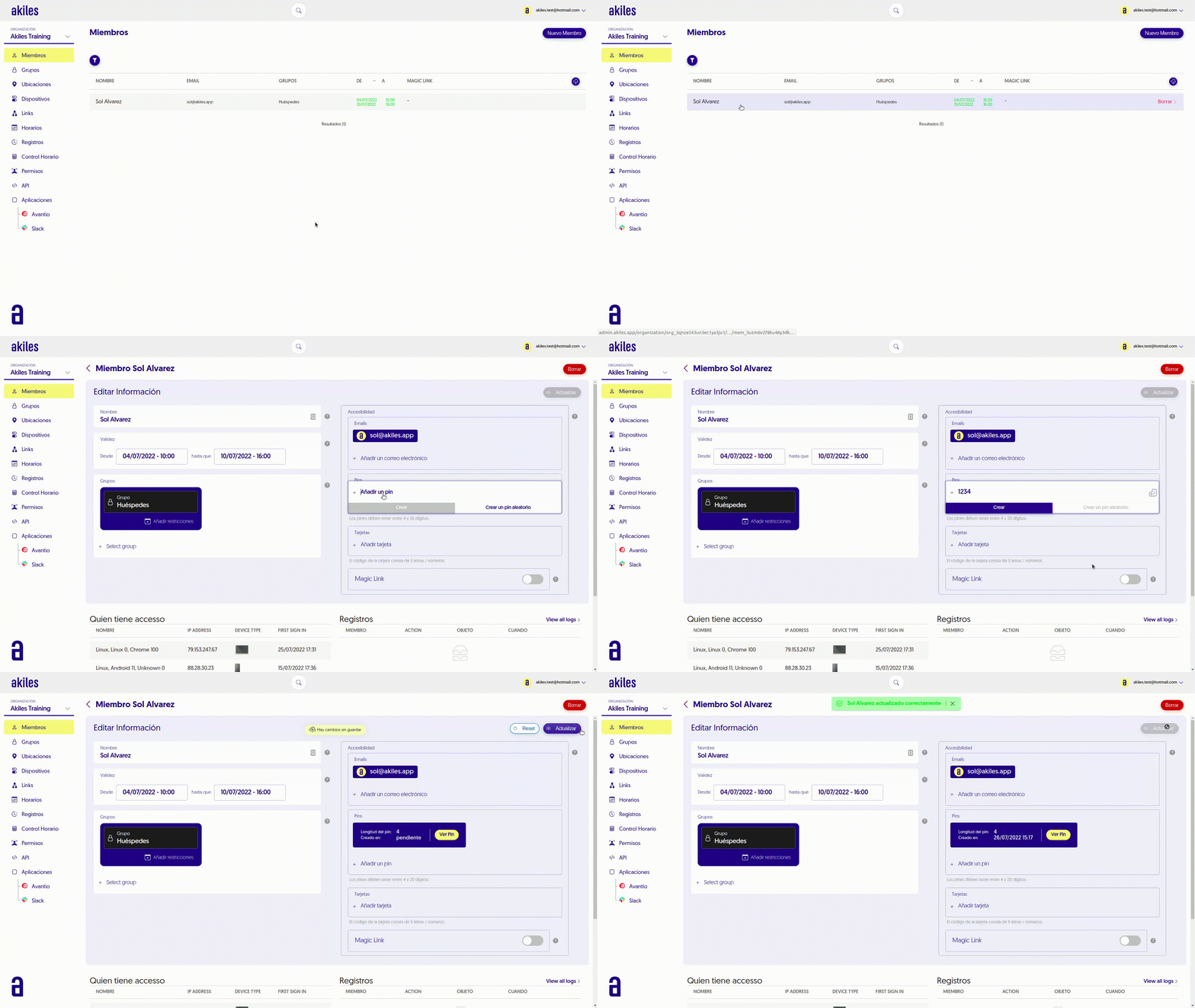
It’s worth noting that Akiles PIN codes are individual. This means that each member has their own exclusive PIN code, and never will two members of the same organization share the same PIN code. This allows for traceability of accesses made with PIN by each member from the “Logs” section.
Keep in mind that for the PIN to be configured on a device, it must be online (with Internet connection). Once this is done, the code can be used to open even when the device is offline (without Internet access).
PIN Code Consultation
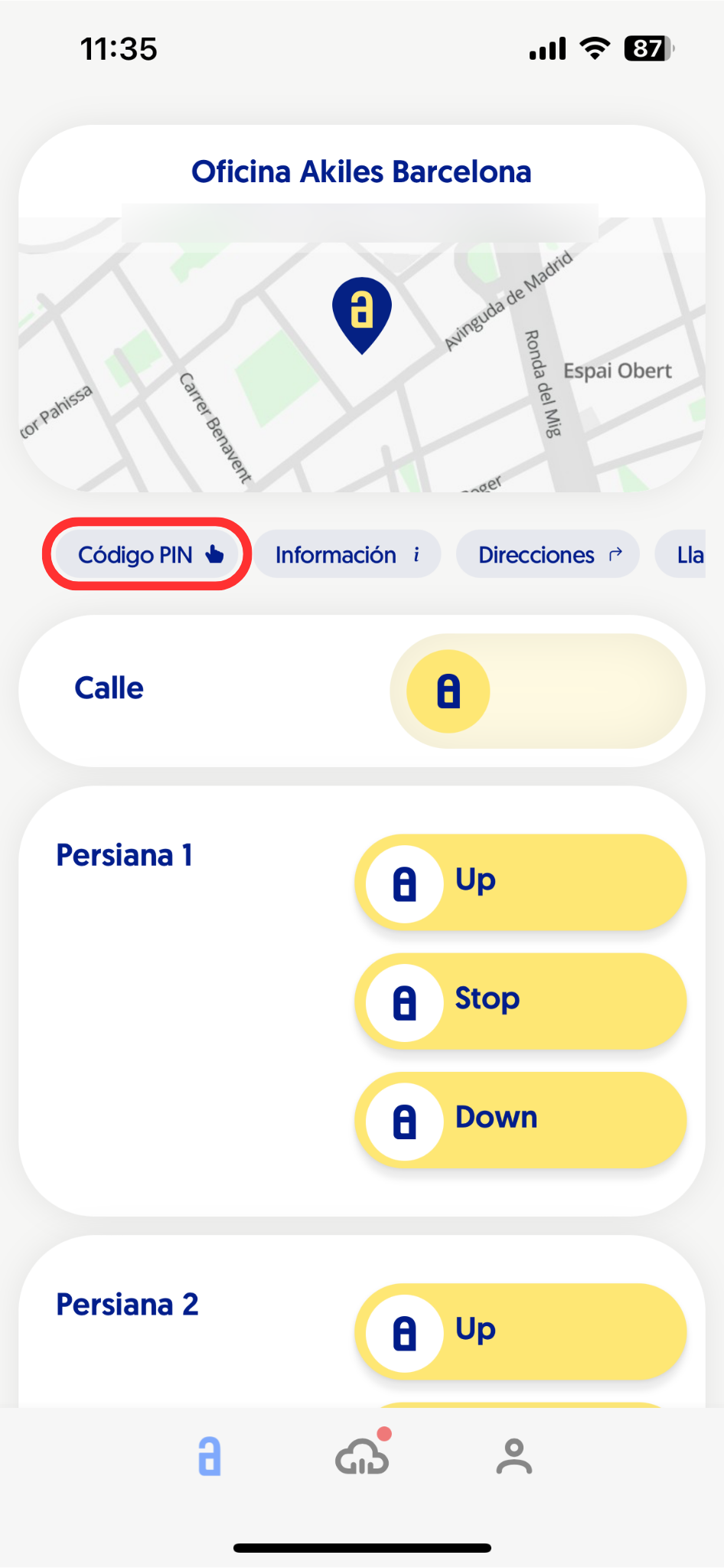
Once a PIN code is configured for a user, they will be able to check it from the Akiles app.
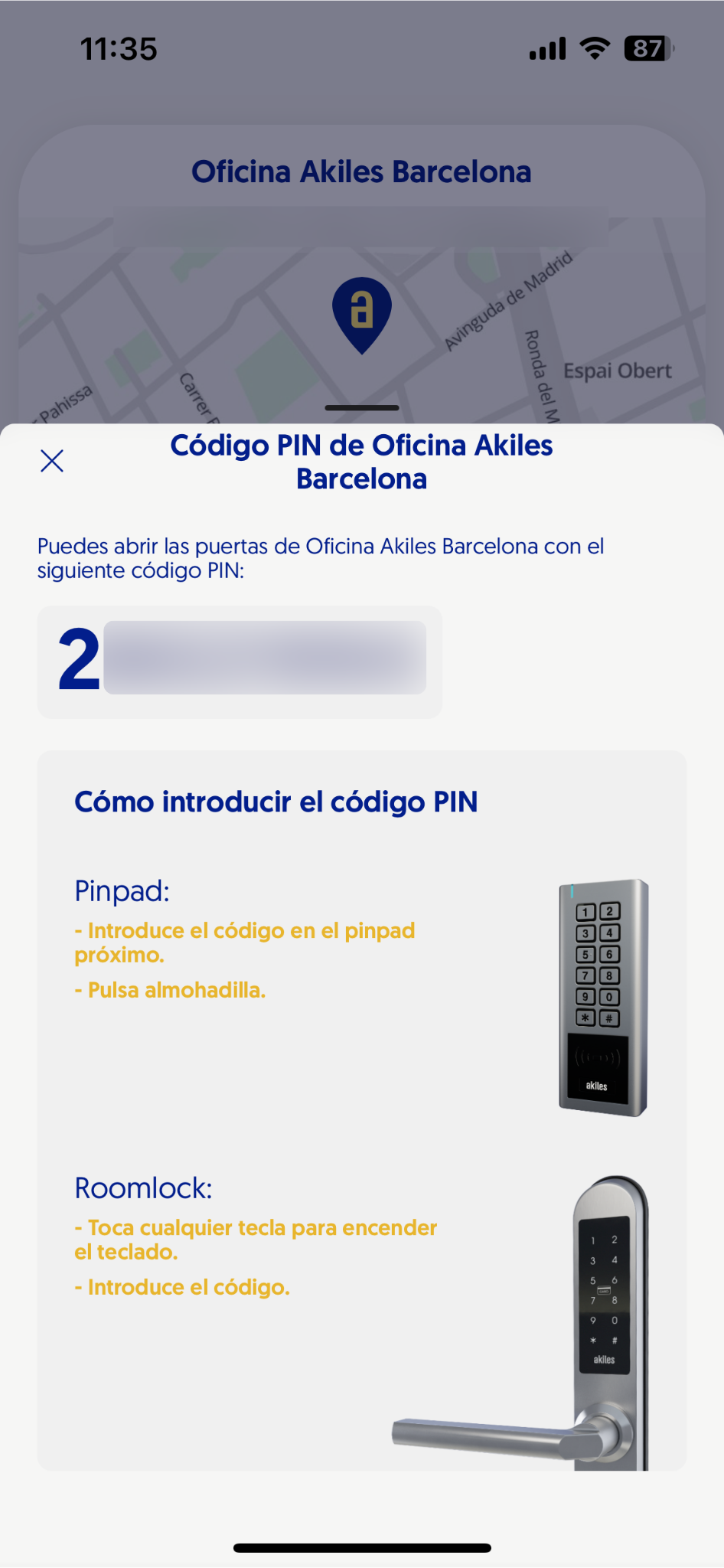
To do this, they simply need to click on the “PIN Code” button that appears on the Home screen below the location map. Subsequently, a dropdown will open showing the assigned numeric code, accompanied by instructions on how to enter it on the devices they have access to.
Opening with PIN Code
To open Akiles devices with PIN code, you must follow these steps.
Keep in mind that in organizations with different PIN lengths (for example, with some PINs of 4 and others of 6 digits), users with shorter PIN codes will be asked to press the hash key (#) after entering the code:
Roomlock/Pinpad: Simply touch the corresponding digits on the numeric panel until you hear the beep and open normally.
Akiles Cylinder: This device is usually installed in combination with Akiles Pinpad to add the PIN code to its access methods. Additionally, the PIN code is an offline method, which allows access even without Internet in the building or mobile data on the user’s part. To enter, you only need to input the PIN code on the Akiles Pinpad device. If the code is correct, Akiles Cylinder will provide visual and acoustic confirmation (light flash and “beep”), and the opening can be performed.