Site Information
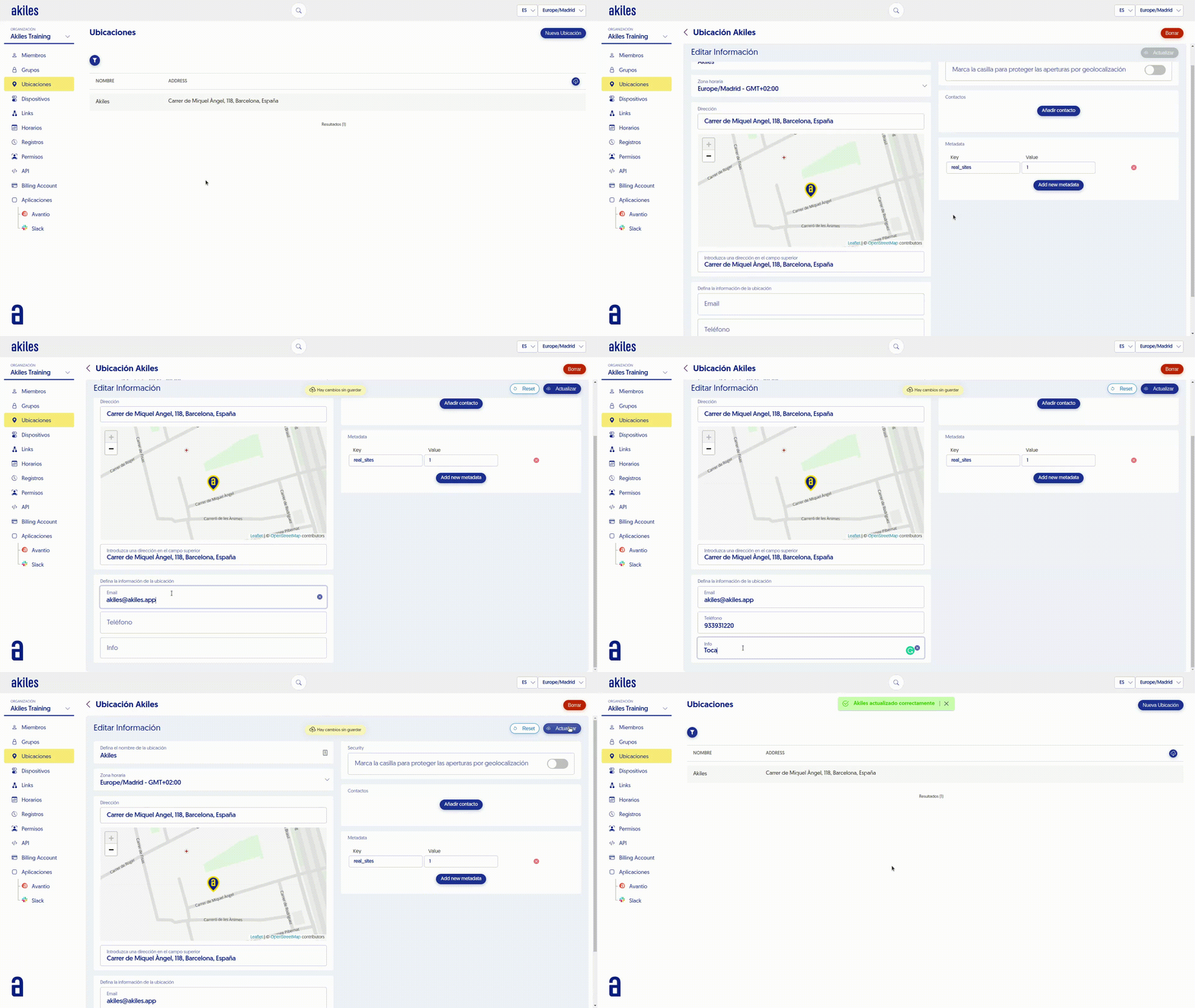
In the " Sites " tab you have the list of locations where you can access with Akiles. You can add additional information that will be visible to the user in the App.
To edit the information follow these steps:
-
Go to the " Sites " tab.
-
Select the desired site.
-
- You can add information such as: Contact email.
-
Contact or emergency phone number.
-
Additional information, such as access instructions, rules or WiFi network access.
-
Click " Send " to save the changes.
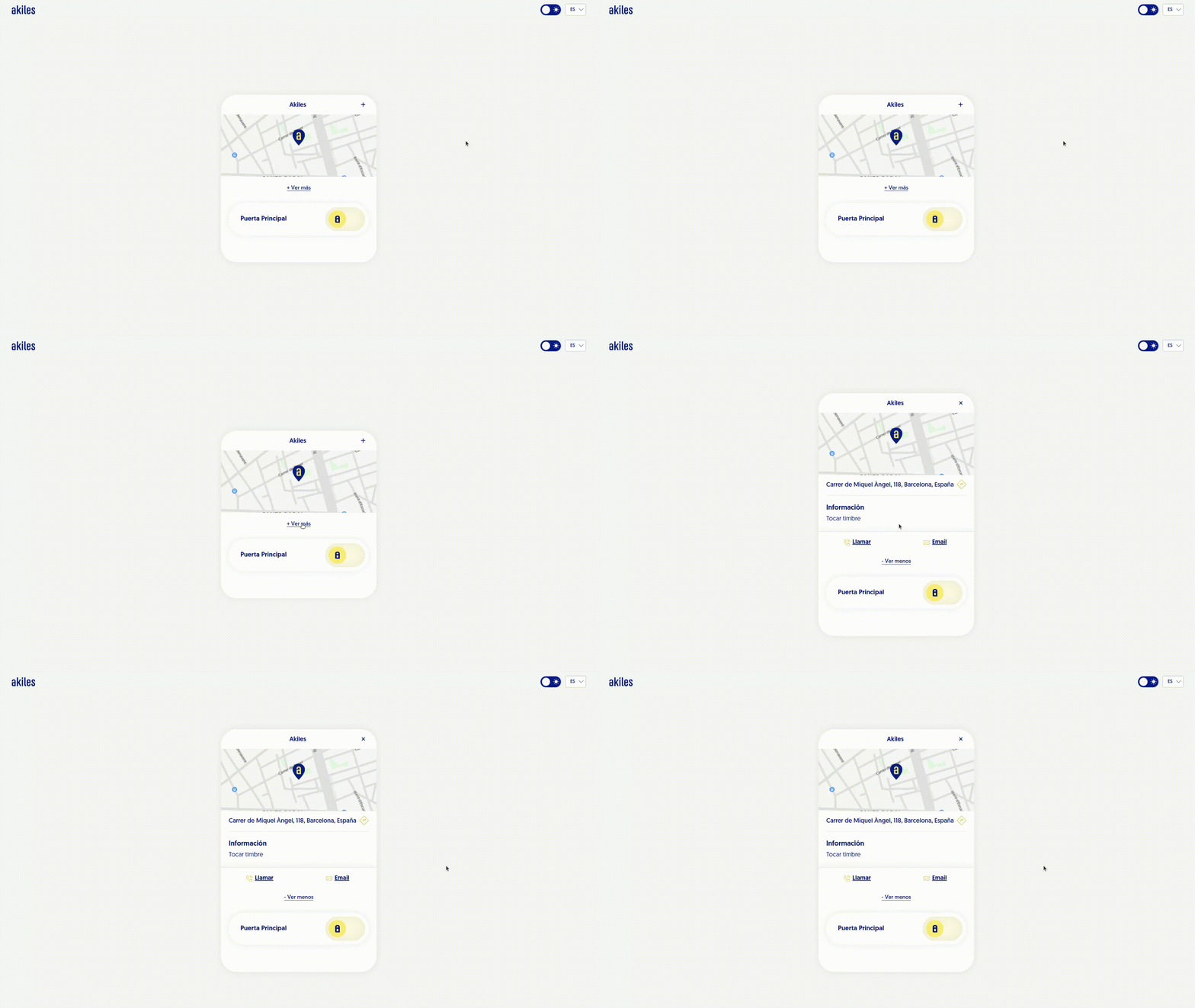
This information will appear when clicking on + See more on the access screen: