How can I create a schedule?
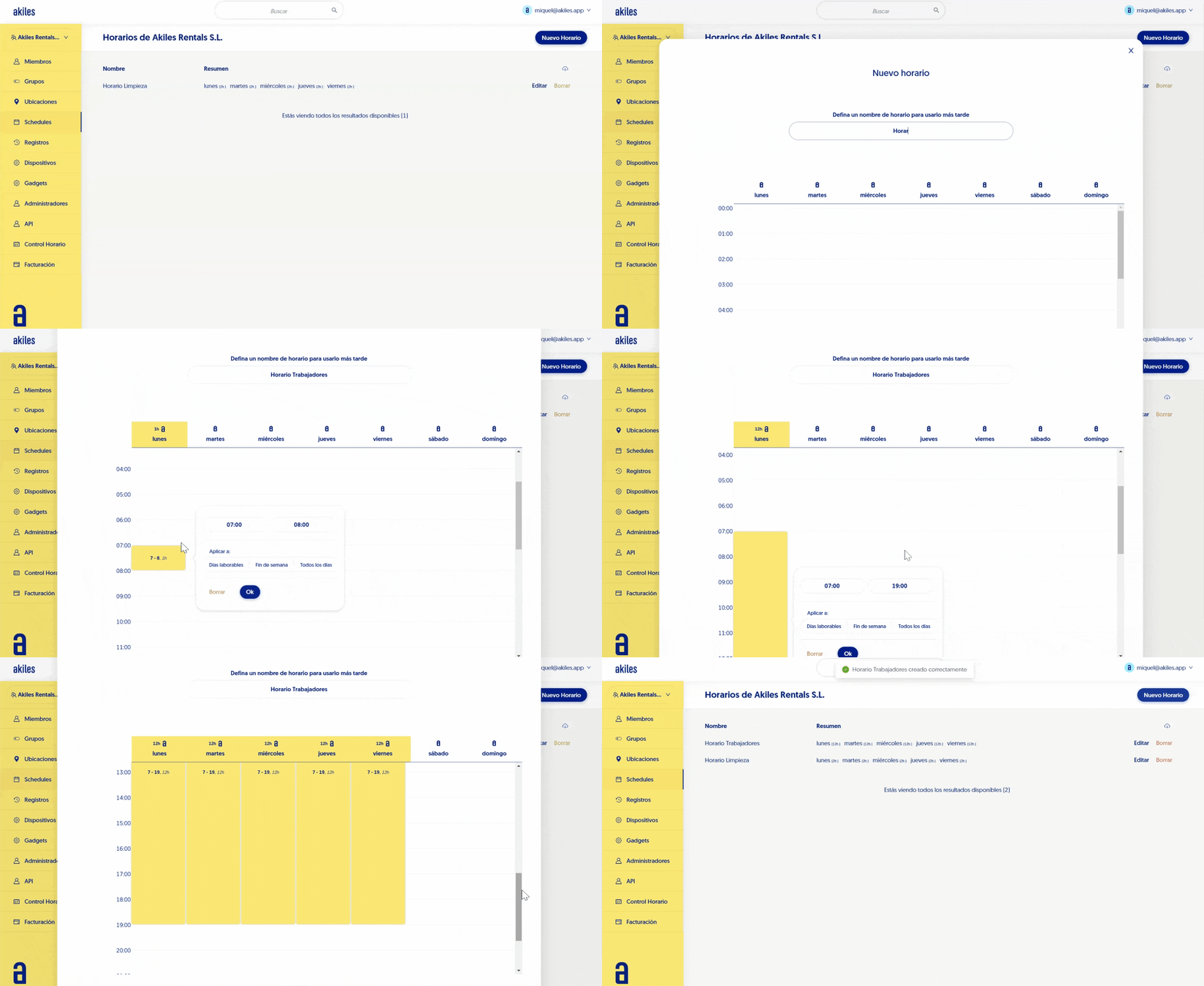
In Akiles you can create as many schedules as you want and restrict access to the desired time slots for each group of people. To create a Schedule you just need to follow these steps:
-
Go to the Schedules tab.
-
Click the “New Schedule” button located in the upper right corner.
-
Define the desired schedule name in the top field.
-
Select the desired day and start time.
-
In the pop-up window, enter the end time.
-
- If you wish, you can apply the created schedule to:Weekdays. Will apply the created schedule from Monday to Friday.
-
Weekend. Will apply the created schedule from Saturday to Sunday.
-
Every day. Will apply the created schedule from Monday to Sunday.
-
Click “Submit” at the bottom of the form.
If you want to create different schedules for each day, simply repeat the previous steps for each day of the week you need.