[Q4 2023] Check edits that Administrators or integrations (PMS) have made to specific users
It is now possible to check the edits that Administrators or integrations (PMS) have made to specific users.
To do this, simply visit the “Logs” section and filter by “Member (edits)” using the name of the user whose edits you want to view.
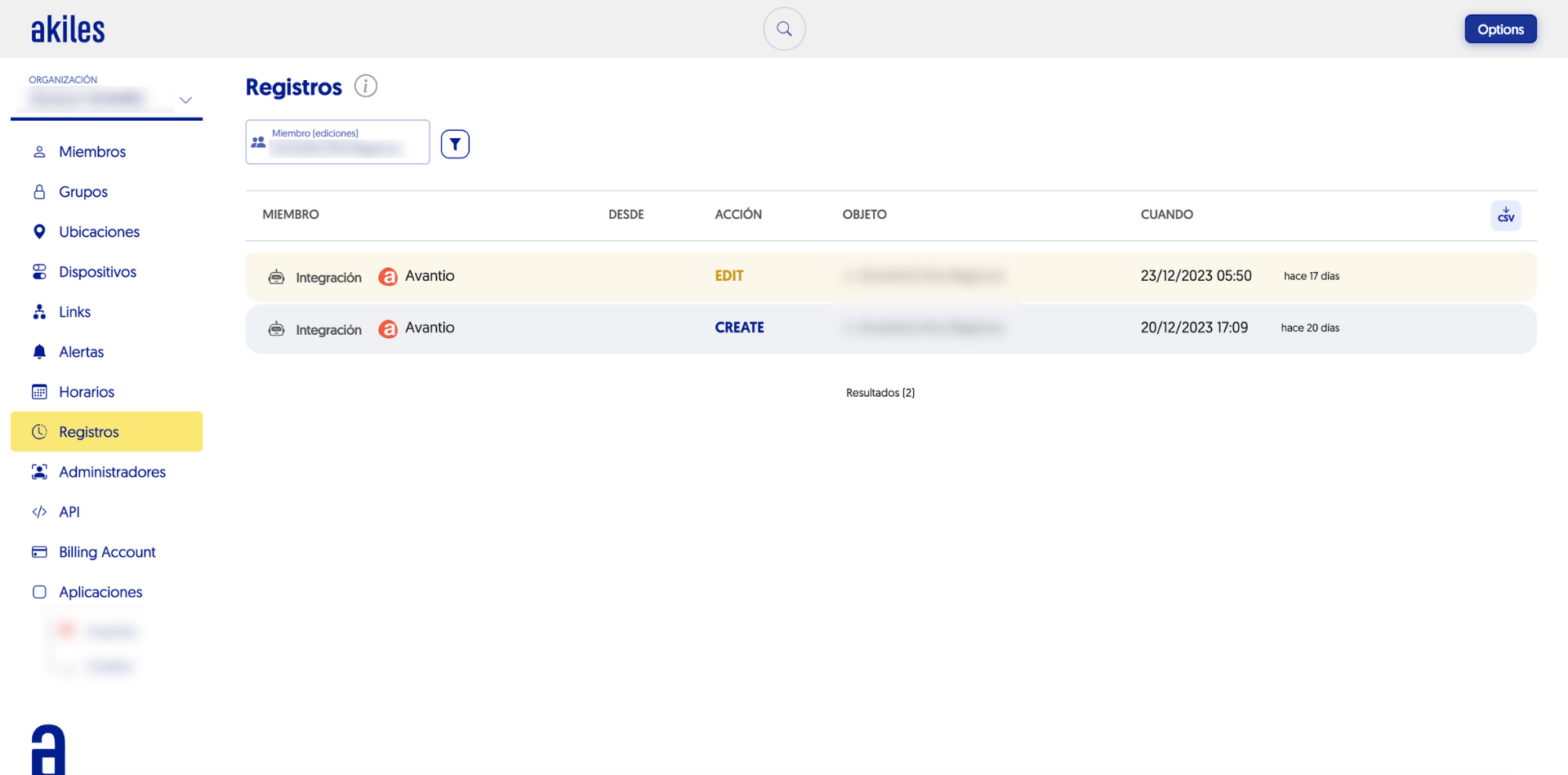
On this screen you can see actions such as the creation or editing of a specific user, who performed them and on what date.
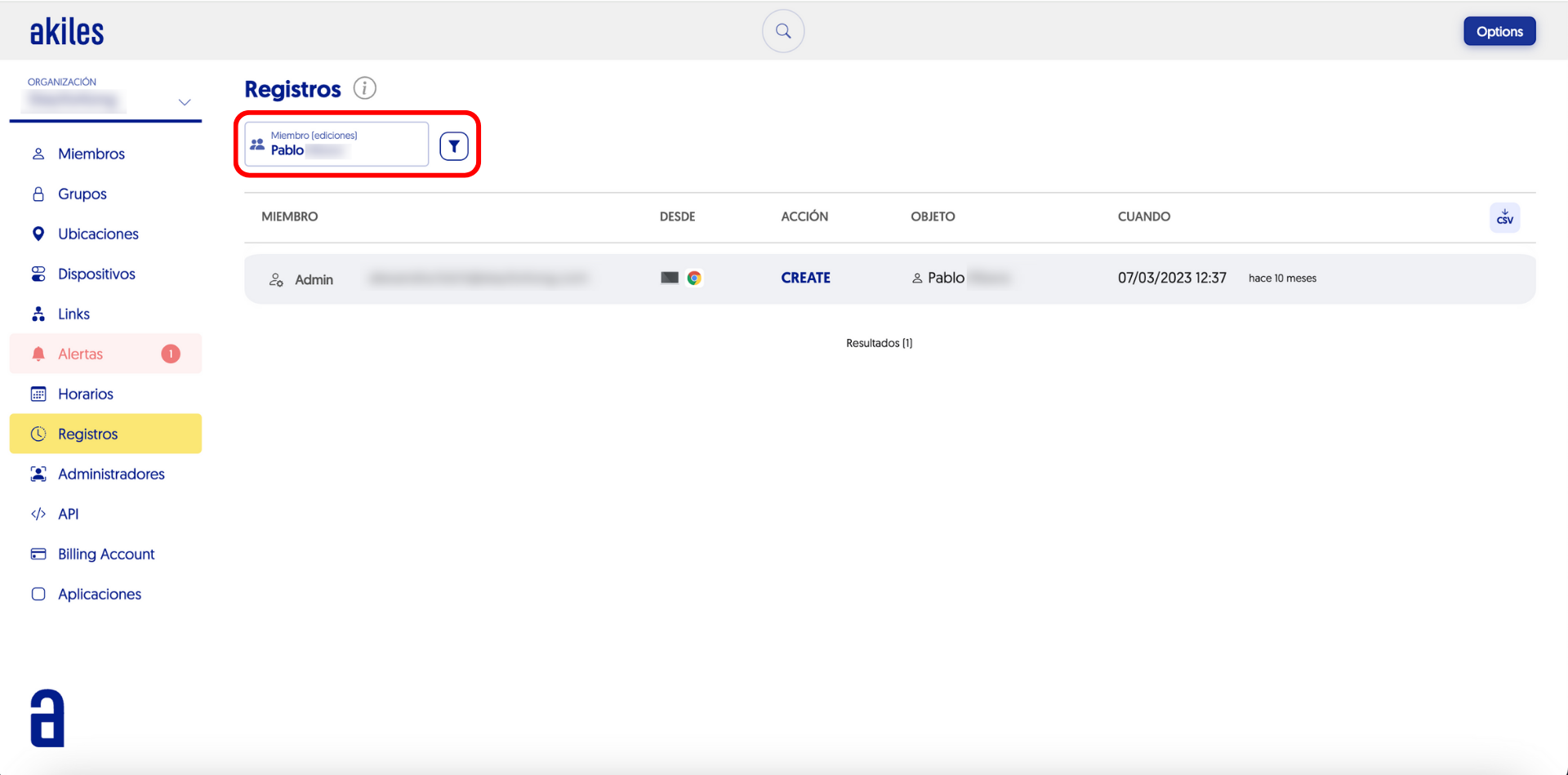
These edits may have been carried out by an administrator or by an integration (such as a PMS). This detail can be checked in the “Member” column.
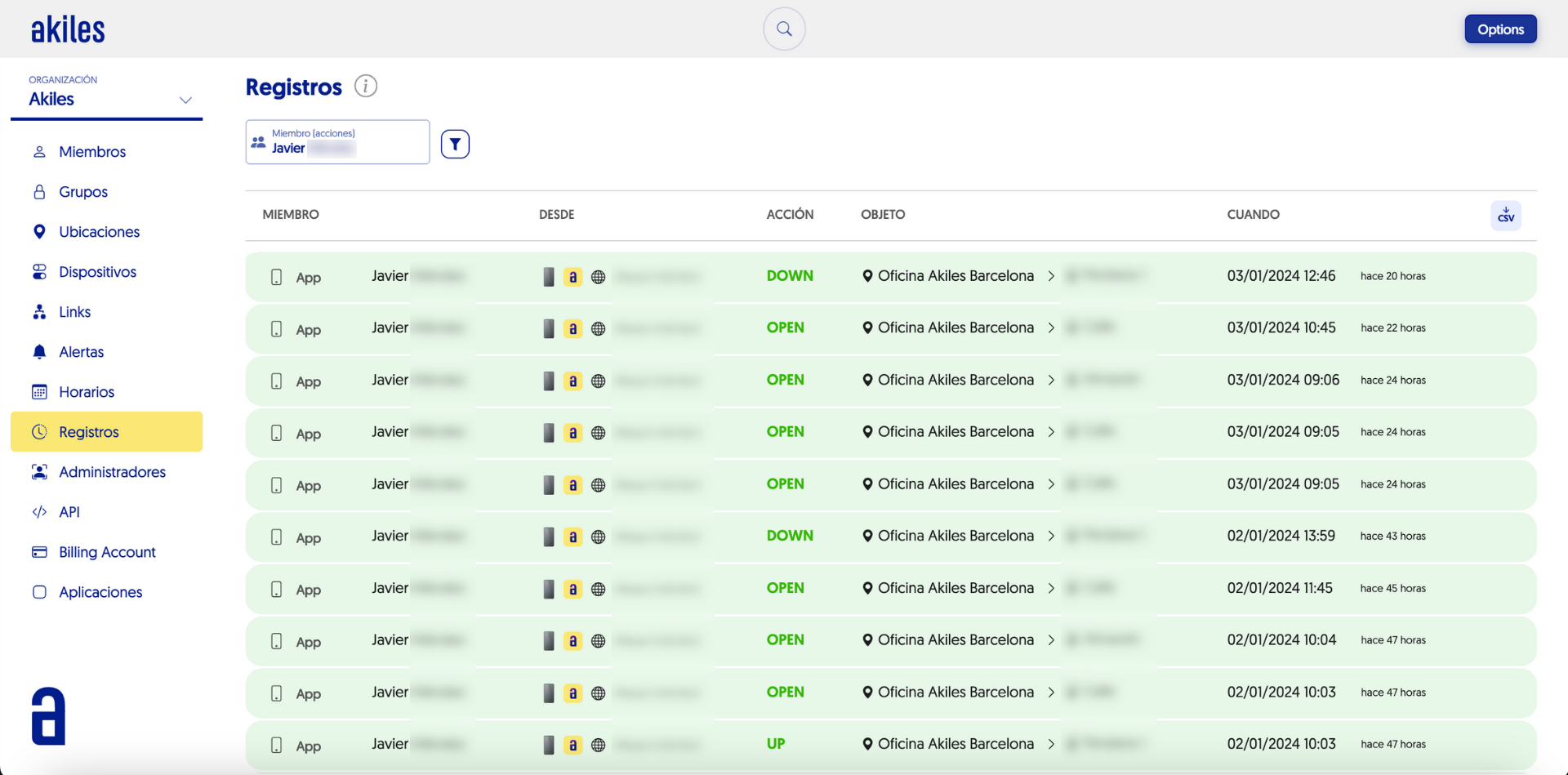
From the same “Logs” section, administrators can also filter access logs for specific users to their different sites.
To do this, simply visit the “Logs” section and filter by “Member (actions)” using the name of the user in question.
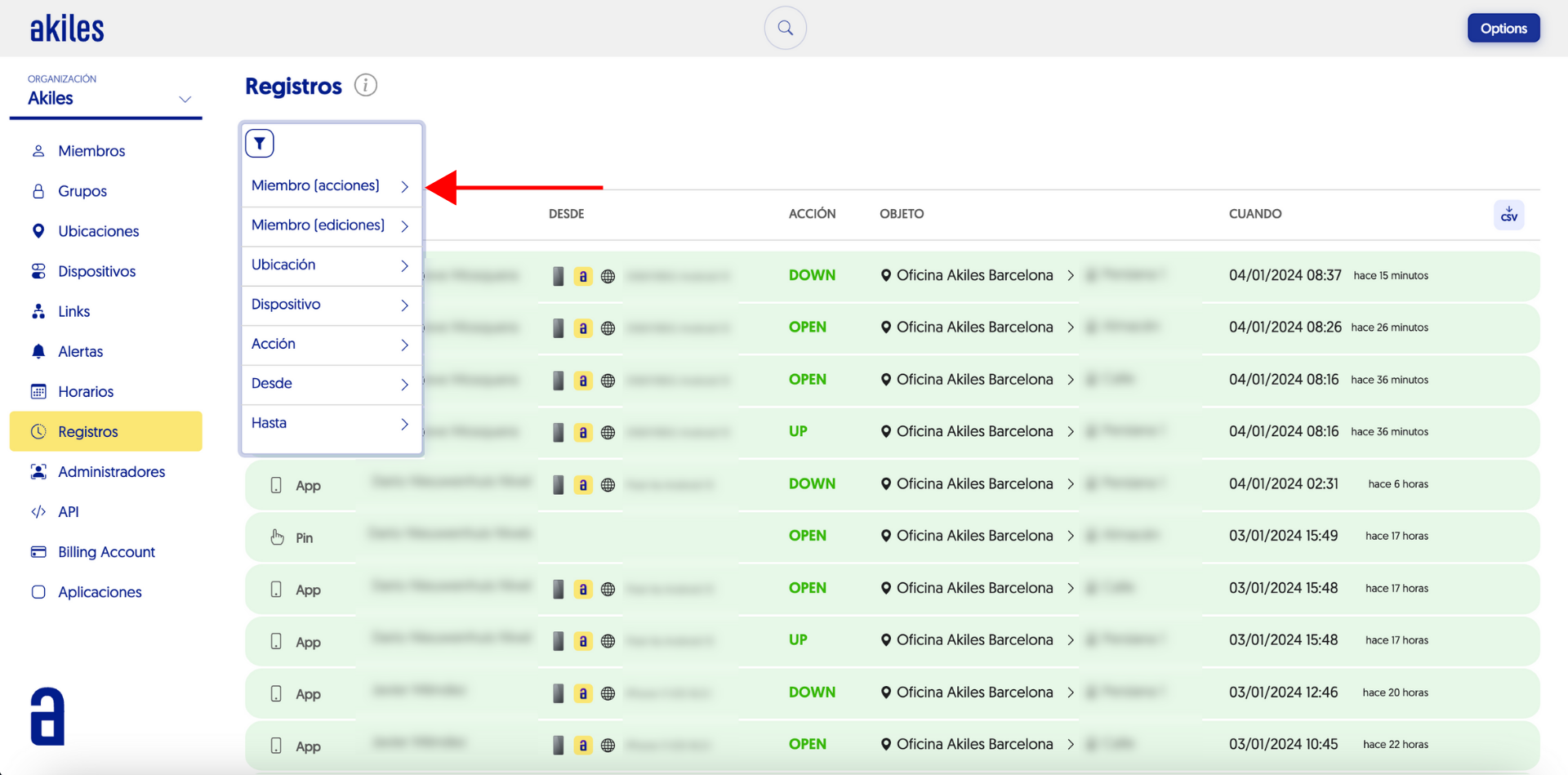
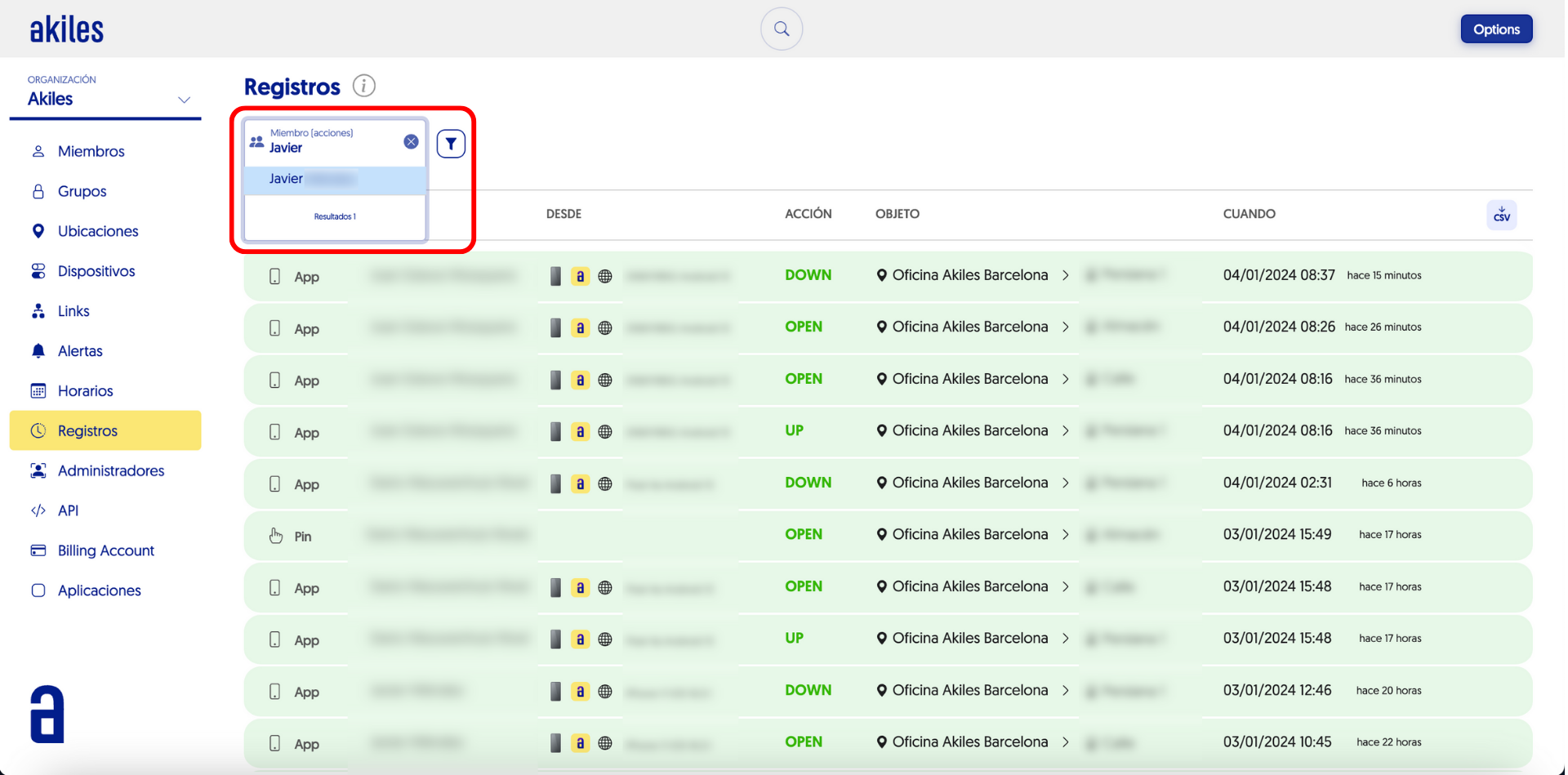
Next, all the actions performed by that user will appear, as well as the sites and times when they performed them.