How to edit a member?
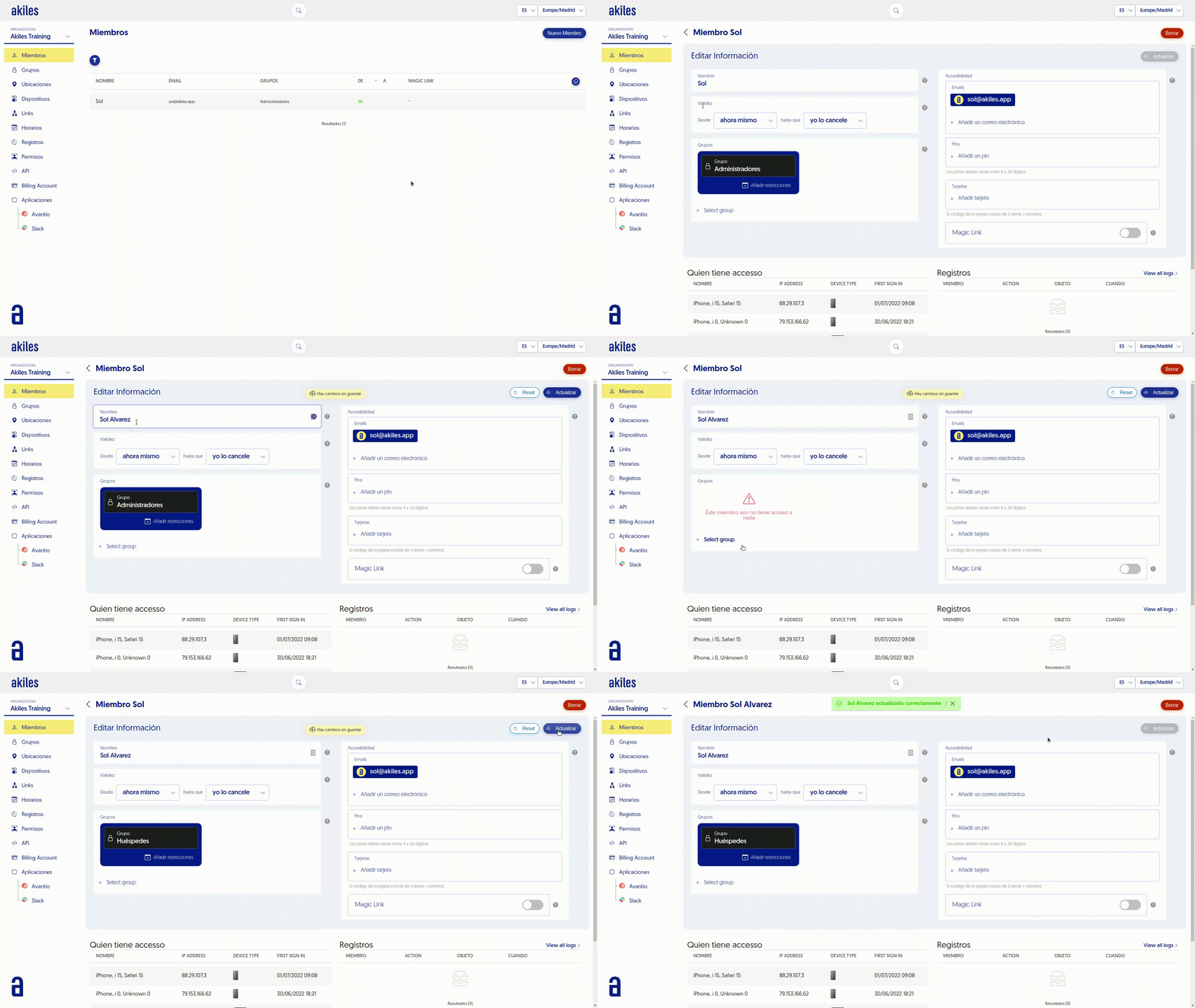
You can edit the parameters of an already created Member. To do this, follow these steps:
- Go to the “Members” tab.
- Click on the member’s name to enter.
- Make the changes you want.
- Click “Submit” to save them.
You can edit the parameters of an already created Member. To do this, follow these steps: