How to delete a group?
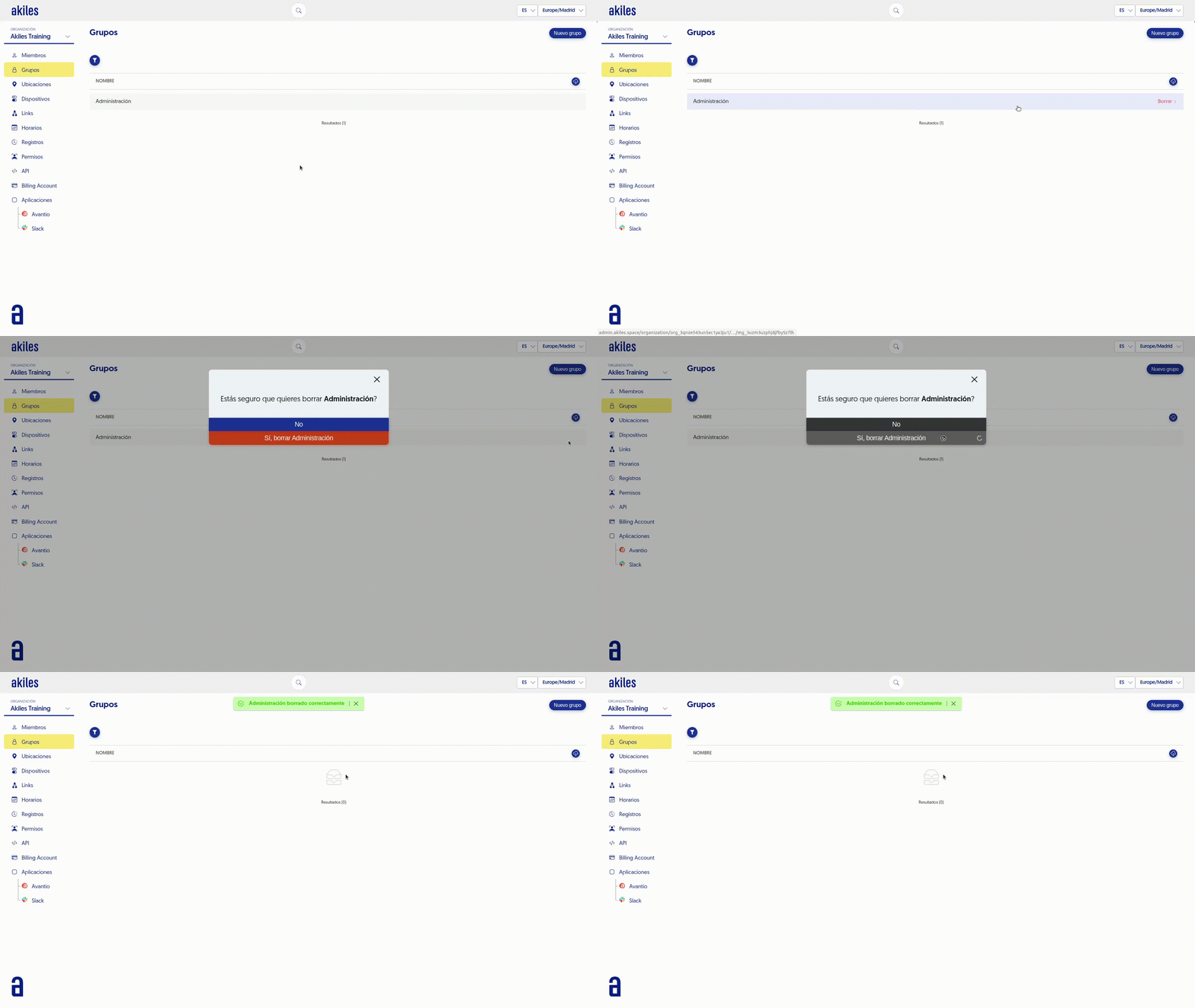
You can delete a previously created group. To do this, follow these steps:
- Go to the " Groups " tab.
- Position yourself over the group you want to delete.
- Click the “Delete” button located on the right side.
- Confirm in the pop-up window that you want to delete it.