Openings without restrictions
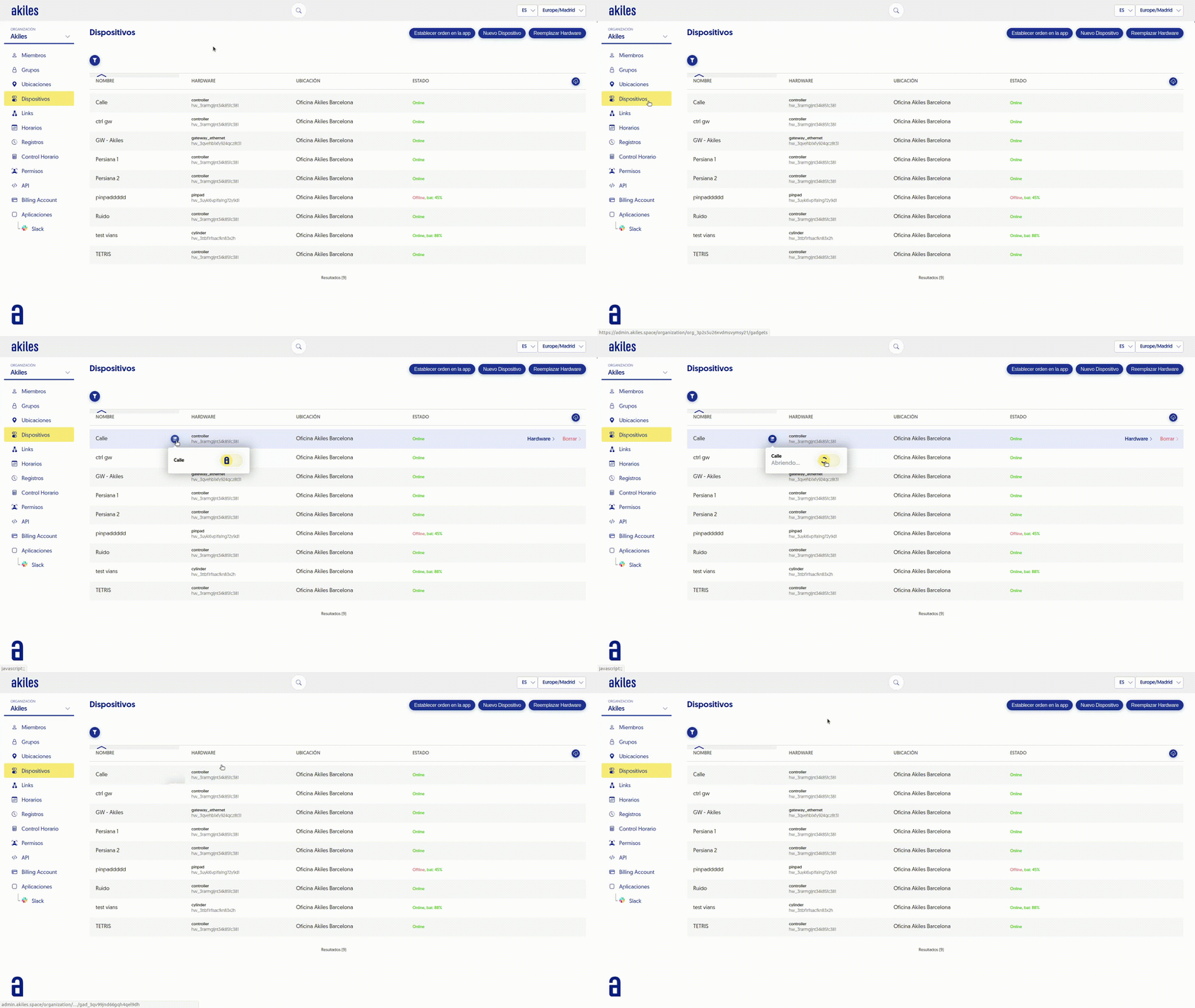
If you need to, you can perform remote openings without any time or geolocation restrictions in the Admin Panel. To do this, follow these steps:
- Go to the " Devices " tab.
- Select the desired access. If needed, you can filter by site to make the search faster.
 When you hover the cursor you will see that a symbol () appears and by selecting it you will be able to open the door simply by sliding the button.