How do I create an administrator?
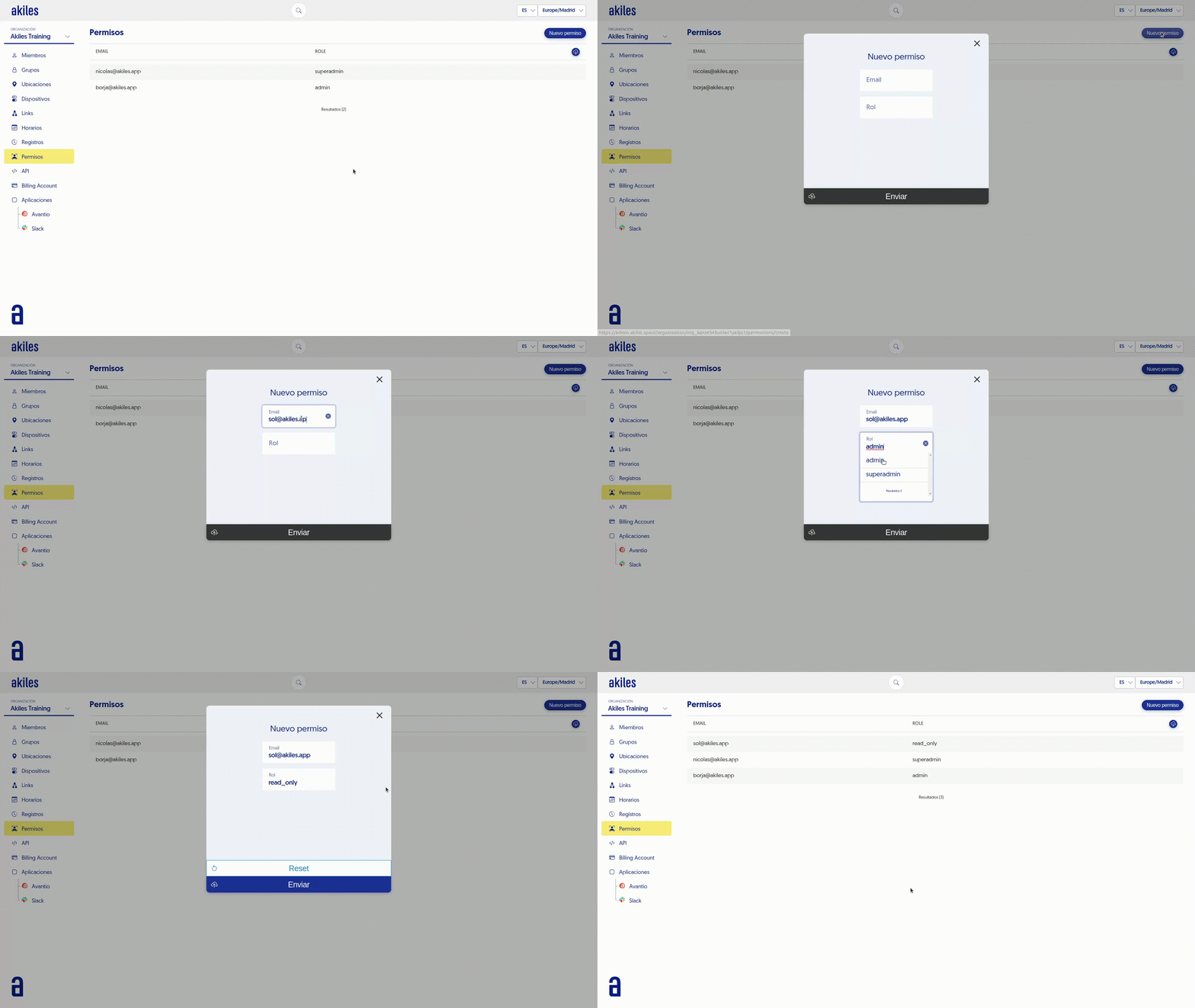
To do this, simply follow these steps:
- Go to the " Administrators " tab.
- Click the “New Administrator” button located in the upper right corner.
- Enter the new user’s email with permissions in the form and select the “Role”
- Click “Send” and the person will receive an invitation email to access the Admin Panel.