[Q1 2024] Magic Links can now be opened in the Akiles app, enabling Bluetooth opening in offline environments
If a user is about to use a Magic Link (link that allows using Akiles in browser version, without needing to download the app or log in) and the device they are going to use for access is offline (making access impossible as no connection can be established with the Akiles Cloud due to lack of electricity/Internet), now this user will be able to download the Akiles app, open the Magic Link within it and access the property via Bluetooth (offline access method). Until now, the use of Magic Links was not compatible with Bluetooth opening.
We explain the process below:
Now, when a Magic Link is sent to the user, when they open it, a banner appears inviting them to download the app to continue accessing the property even if any device is offline.
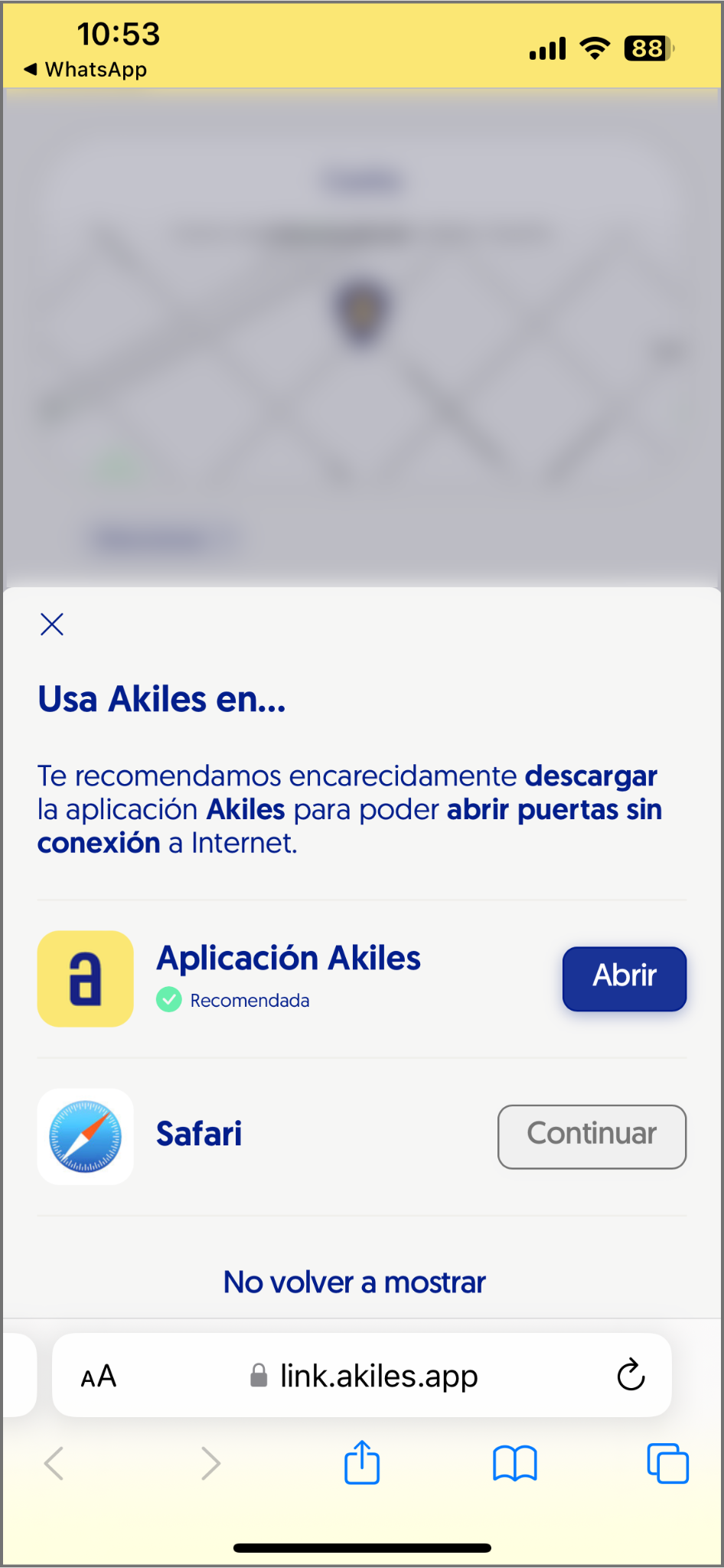
This download is not mandatory, so if the user doesn’t want to download the app, they can continue using Akiles in browser version without any inconvenience.
However, if the device is offline upon arrival, and mobile opening is the only possible option (no offline access methods such as PIN code or NFC cards are available), the user must download the app to access the property via Bluetooth (offline mobile access method).
They can do this from the banner shown in the previous image (when downloading the app the Magic Link will open automatically) or by downloading the app and manually entering the Magic Link that the administrator has sent them:
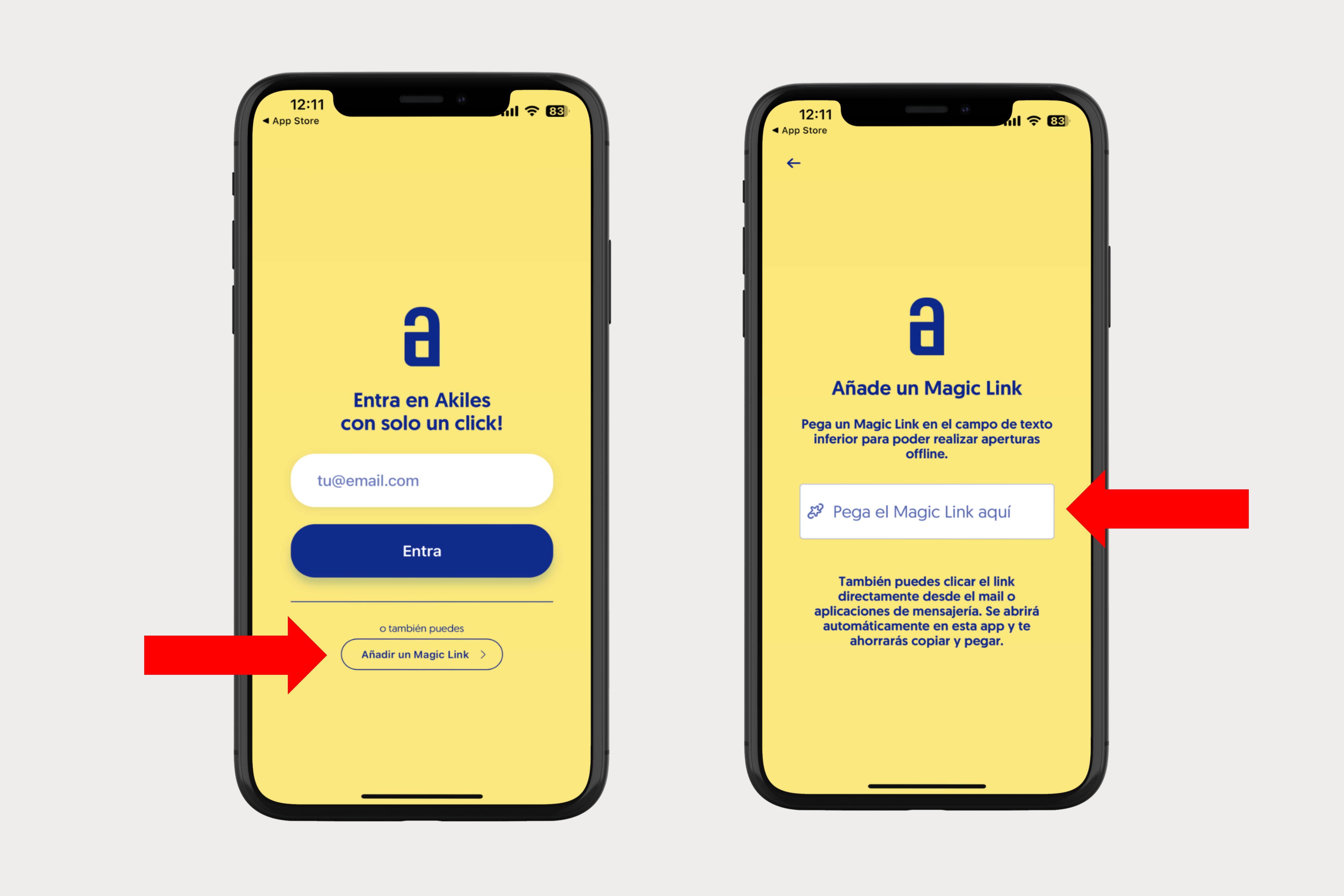
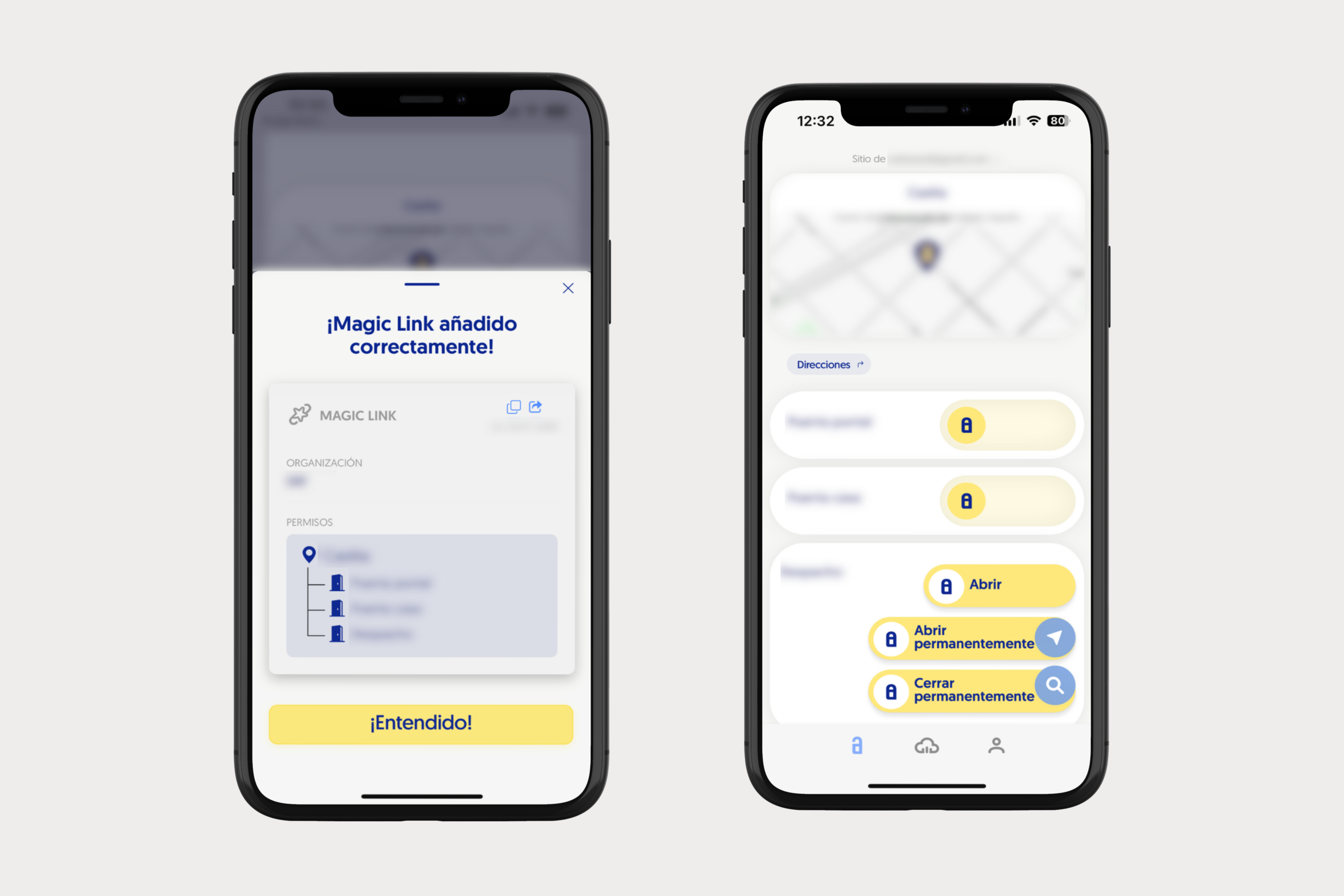
Additionally, if the user already has the Akiles app downloaded, when clicking on the Magic Link, it will automatically open in the Akiles app.
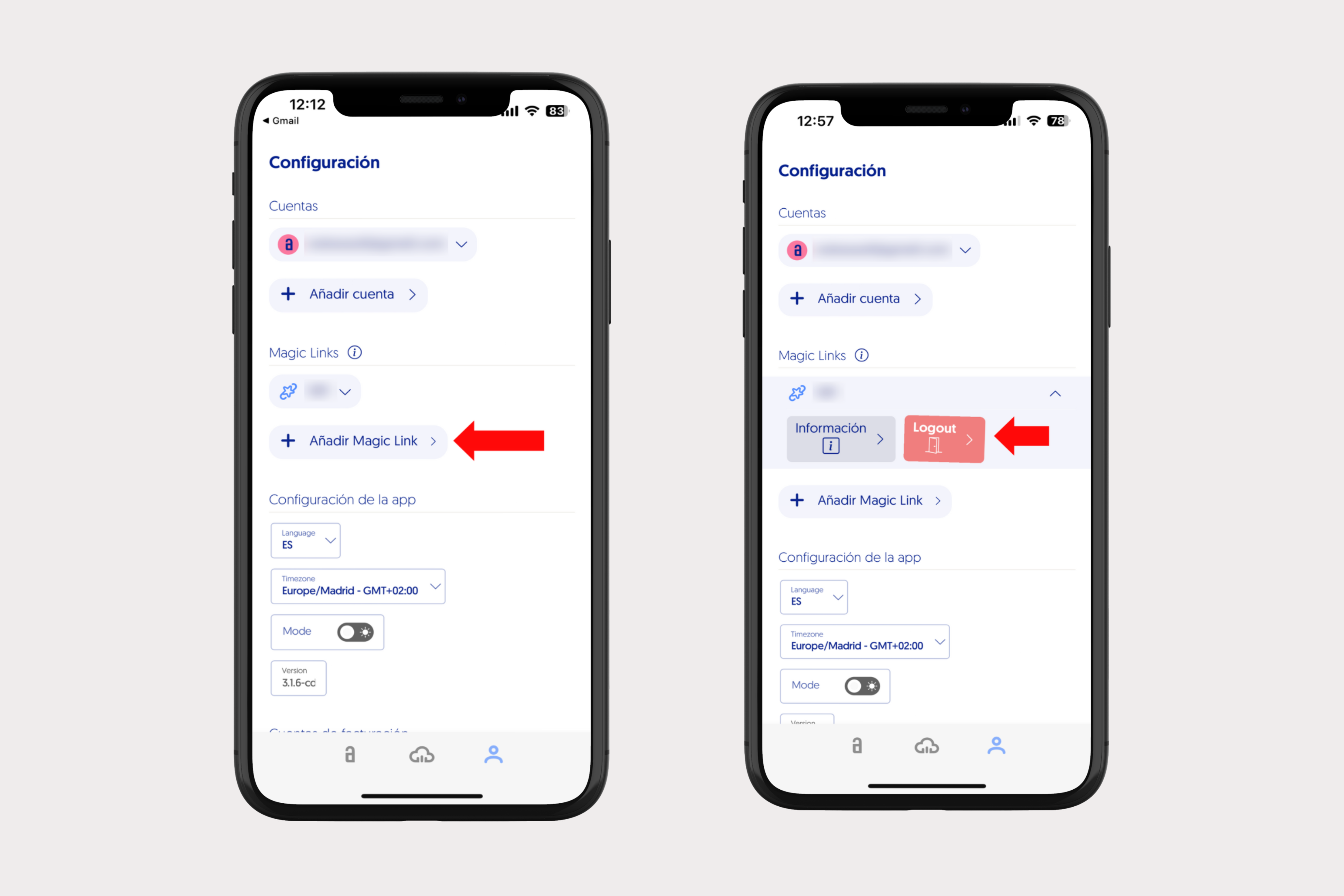
It’s also possible to manually add/remove Magic Links from the Settings section of the app: