How do I add a permission for the billing account?
Billing account permissions are separate from organization permissions. This means that not everyone who has permission to modify the administrative panel will have permission to modify billing data.
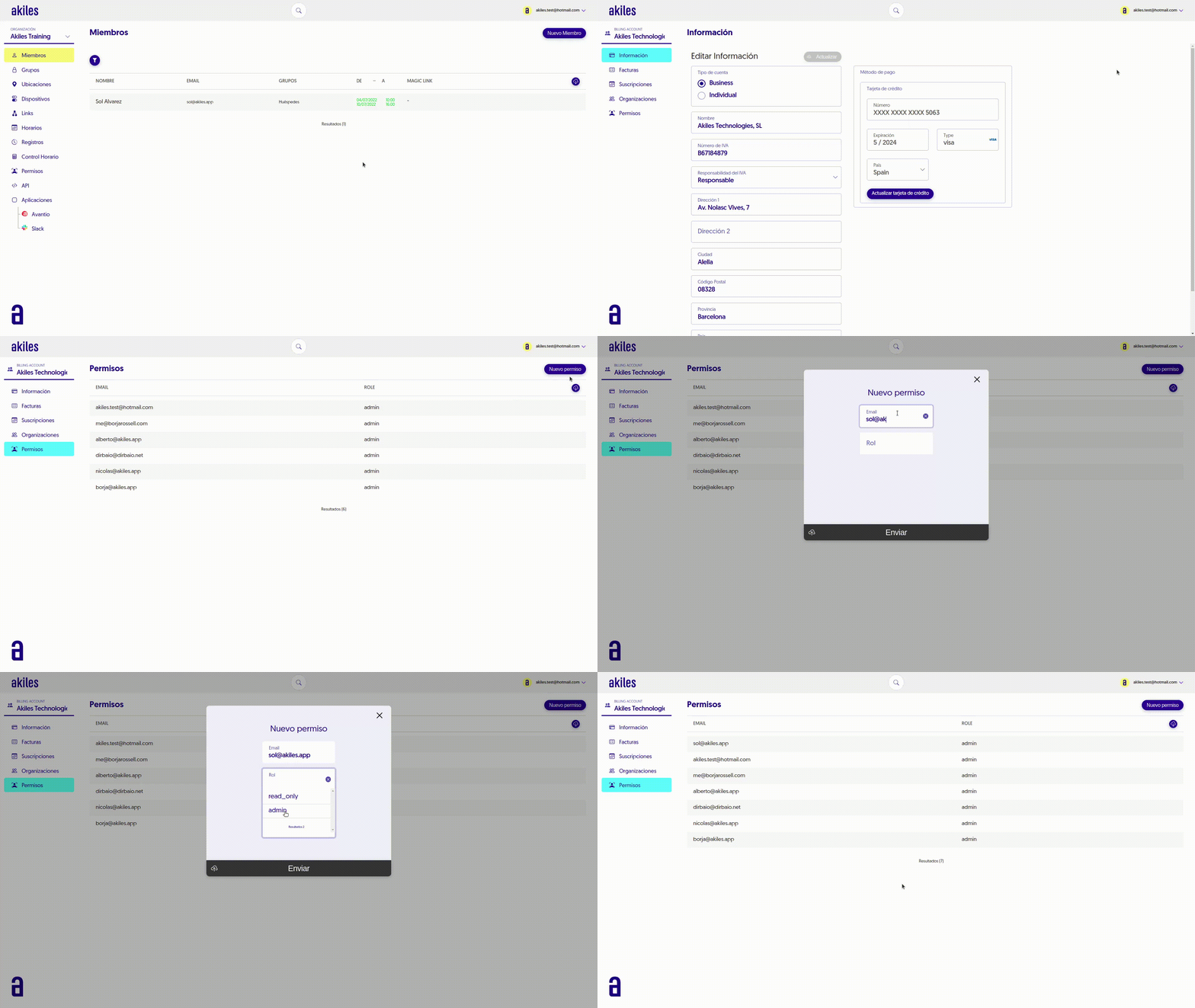
If you want to add a new permission, simply go to the “Permissions” tab of the Billing Account and select New Permission. Enter the email address and then in role select Admin or read_only (Read Only)